

Add a piece your way.
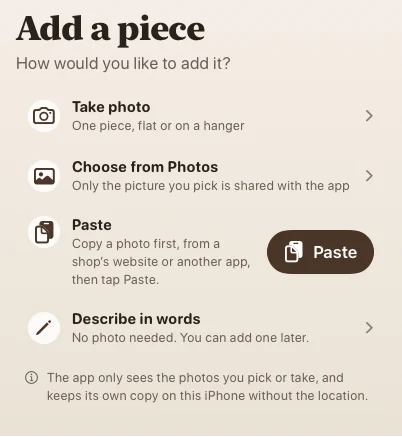
Take a photo, choose one from your library, paste a copied image, or start with words. You can build your closet a little at a time.
Meet your wardrobe's next chapter.
A new home for your wardrobe.
A little help finding your next great outfit.
Real screens from the development build. A closer look at adding your clothes, finding a favourite outfit, and keeping your wardrobe yours.
Previews use sample data. Tap any capture to see it larger. AI styling and try-on remain in development.
Take a photo, choose one from your library, paste a copied image, or start with words. You can build your closet a little at a time.
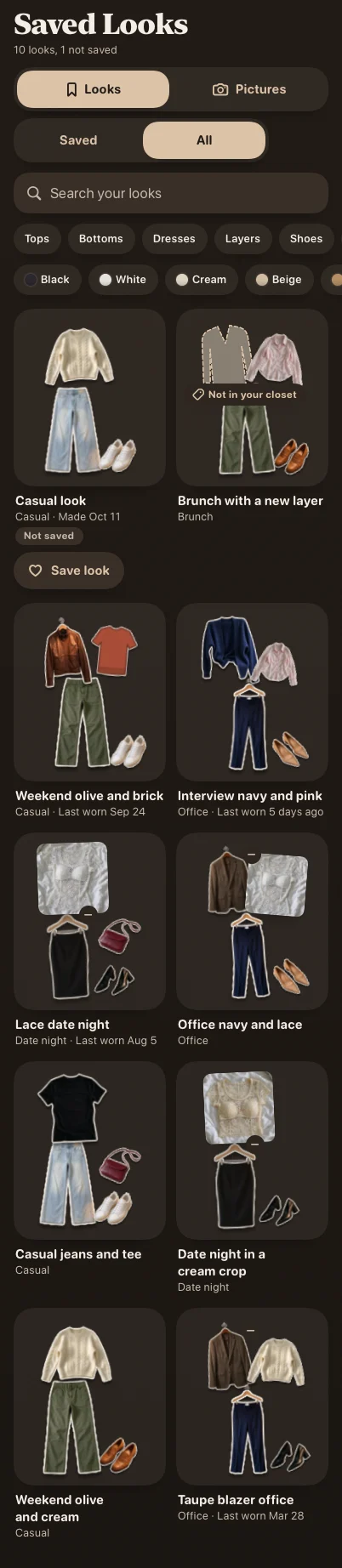
Switch between Saved and All, then search and filter the looks. The preview below shows the wider All view.
Export your wardrobe with a passphrase, check a copy, or restore it when you need it. These flows are built; real-device checks continue.

The weather controls are built for a chosen city or optional approximate location. This is a sample preview; live weather still needs its Apple service enabled.

More than a digital closet.
Nifty Outfit Nook is being built to remember what you own, help style it, picture new looks, pack for trips, and keep laundry in the plan.
Closet
Search and filter by type, colour, suitcase, and laundry status. Open any piece to style with it, edit it, or pack it.

AI styling assistant
Choose an occasion, weather, comfort, colours, and a closet or suitcase. The assistant is being built to create outfit ideas from the pieces you already own.
Style from your whole closet or only the pieces packed in a suitcase, while keeping laundry status in view.
Add the occasion, weather, comfort, colour, and a preference for this request without changing your whole profile.
Save an outfit, swap one piece, ask the stylist about it, or choose Try It On when you want a picture.
AI styling is in development. These app captures use sample wardrobe data.

AI Try It On
Try It On is planned as an on-demand AI preview. You choose when to create a picture, and saved pictures stay connected to their looks.
The current build shows a clearly labelled simulation while the image feature is developed.
The practical details matter too.
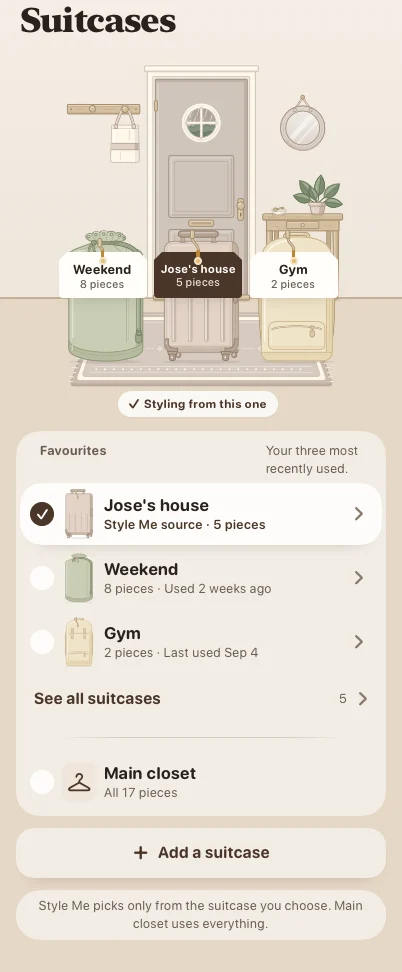
Make a suitcase, choose it as the styling source, and get outfit ideas from only the pieces packed inside.
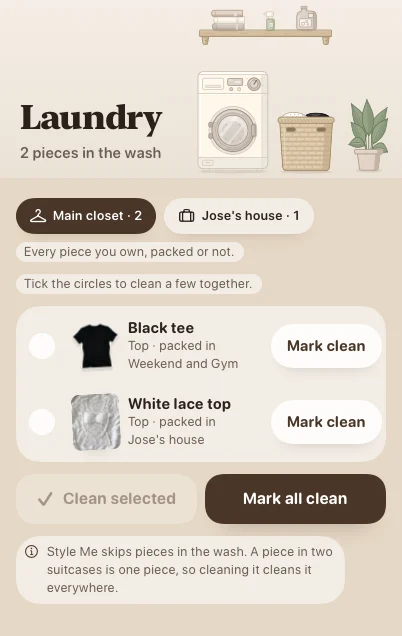
Optional laundry tracking shows what is in the wash and helps the styling assistant skip pieces that are not ready.
Current announcements.
From the first plan in September to the latest development milestones. Follow the app as it grows into a complete iPhone and iPad experience.
Dates mark the milestones. Screen previews show the current development UI with sample data; the early mockup is labelled separately.
Starting point
The first product plan set the purpose: organise the clothes you own, build useful outfits, save looks, and make personal styling feel easier.
PlannedThe app takes shape
Home, Closet, outfit ideas, saved looks, Suitcases, Laundry, and Profile became native screens. Settings, iPad layouts, short tours, and onboarding connected the sample-data experience.
Built with sample dataA more realistic closet
Garment photos, cutouts, and example try-on previews replaced stand-ins throughout the sample wardrobe. Accessibility and screen-size checks helped refine the experience.
Sample experience checkedKeeping your wardrobe
Wardrobe records and drafts can now survive closing and reopening the development app. Encrypted, passphrase-protected exports and restore flows are built and tested. Optional iCloud sync is still to come.
Built and testedAdding your own pieces
The development build can import clothing photos from the camera, photo library, or a copied image. Kept copies have identifying metadata removed, with thumbnails and storage limits to keep browsing manageable. Automatic background cutouts still need real-device validation.
Built · device checks remainFinding what you mean
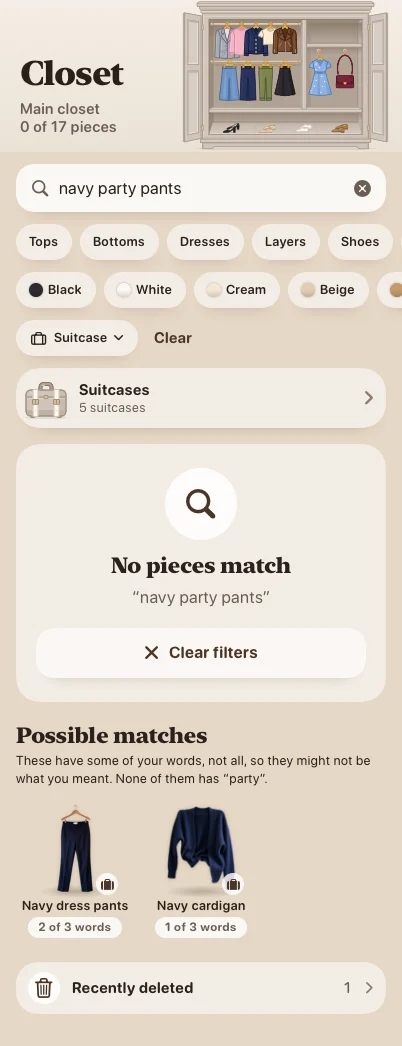
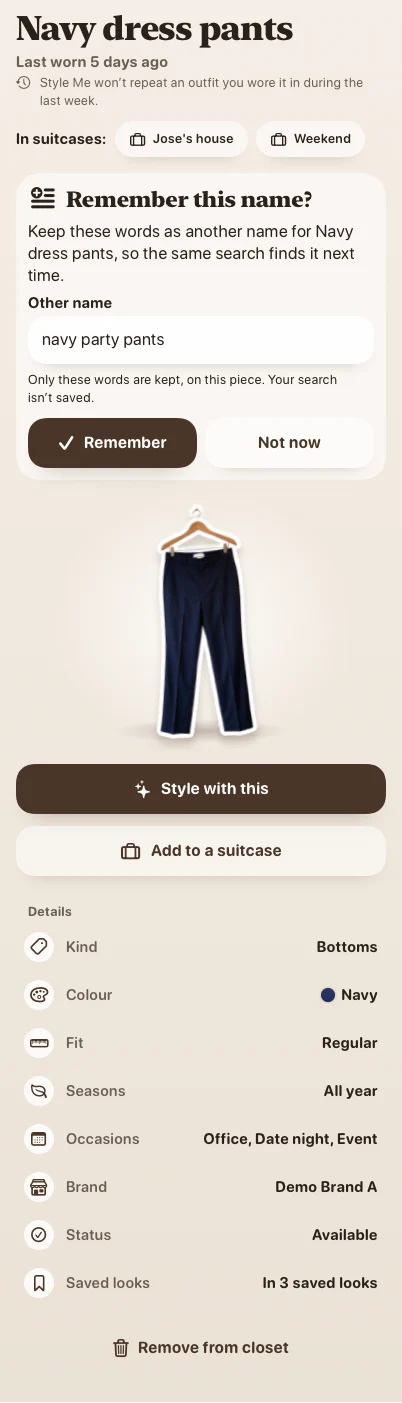
Pieces can have other names and clothing types to make search more useful. Saved Looks now has a Saved / All switch, and possible matches can help you remember a name for next time.
Preparing the next layer
The account and service foundation now has tested request limits, usage allowances, and retry protection using simulated services. Weather controls support a city or optional approximate location; live weather remains off until its Apple service is enabled.
Foundation builtMore control, fewer interruptions
The development build now includes an account-deletion flow tested with simulated services, plus better handling of interrupted requests, cancellation, and offline states. Real account connections still need activation and validation.
Built against simulated servicesMore ways to find a look
Quick ideas can now make outfit suggestions on the phone without sending a request. The cloud-styling connection and background-job flow are built against simulated services, including resuming interrupted work; live styling still needs service activation.
Built in developmentA little guidance before try-on
The try-on camera flow now offers framing hints and a countdown, followed by a review before keeping the photo. Simulator checks use a drawn stand-in. Real-camera and on-device vision checks remain on the testing list.
Built in developmentMaking the process clearer
The try-on flow now explains its privacy steps: cover the head and hair, replace the room, send the prepared picture, and bring the original head back on the phone. The implementation is built, with real-device and live-service validation still pending.
Built in developmentAn account when it is needed
The development app asks for sign-in when a cloud feature needs it, rather than at launch. A result-reporting sheet is also built for cloud outfit and try-on results. These flows are tested with simulated accounts and services; real account connections are not active.
Built in developmentChecking the bigger picture
The development build has been checked with larger sample wardrobes, and backup export now uses less memory. Accessibility checks cover the newer screens too. Simulator results guide the next round of hands-on device testing.
Built in developmentPreparing optional sync
Sync logic has been built and tested with two simulated devices, including edits, conflicts, account changes, and offline recovery. It remains switched off and hidden until Apple setup and real-account testing are complete; iCloud sync is not available yet.
Built in developmentClearer privacy choices
The development build now includes an 18+ check before sign-in, clearer styling and try-on consent, and a faceless copy when a try-on picture is included in a report. A new Help improve the app setting is opt-in and off by default.
These are built app controls, not activated cloud services. Analytics is not collecting data in this reviewed build; live sign-in, styling, try-on, and iCloud still need setup and validation.
Built in developmentCurrent stage
Local wardrobe, styling fallback, guided photo setup, and clearer privacy controls are built. Account integration and service setup are being prepared alongside device checks and hands-on feedback before anyone can download the app.
Cloud AI styling, live try-on, and iCloud sync are not active. The app is not available to download; these are development milestones.
In developmentNifty Outfit Nook is coming soon.
Thoughtfully made for iPhone and iPad.
Not just yet. Nifty Outfit Nook is still in development. This is our first hello, and we'll share download details here when it's ready.
A personal wardrobe and outfit styling app, with plans for clothing organisation, saved looks, and an AI styling assistant. Features are being developed and may evolve before launch.
We haven't announced a date. Check back here for launch news as the app takes shape.


